
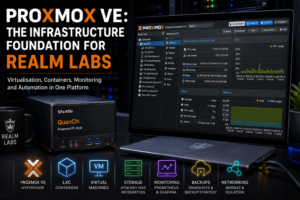

Proxmox VE is the compute foundation behind Realm Labs.
It runs on a repurposed Shuttle DS81 named QuanChi and provides the virtualisation layer for Linux containers, Windows virtual machines, monitoring services and internal tools. What began as a convenient test platform gradually became part of the everyday infrastructure.
This is not another installation walkthrough. The separate Proxmox VE installation guide covers the journey from bare metal to the first login. This article explains how I use Proxmox after that point, why different workloads are separated, what runs on QuanChi and how storage, networking, monitoring and recovery fit around it.
QuanChi’s Role in Realm Labs
QuanChi has one primary responsibility: provide compute.
It is deliberately not the only place where important data, backups, DNS and every other core function live. Concentrating everything on one clever box would be convenient until that box needed maintenance or failed.
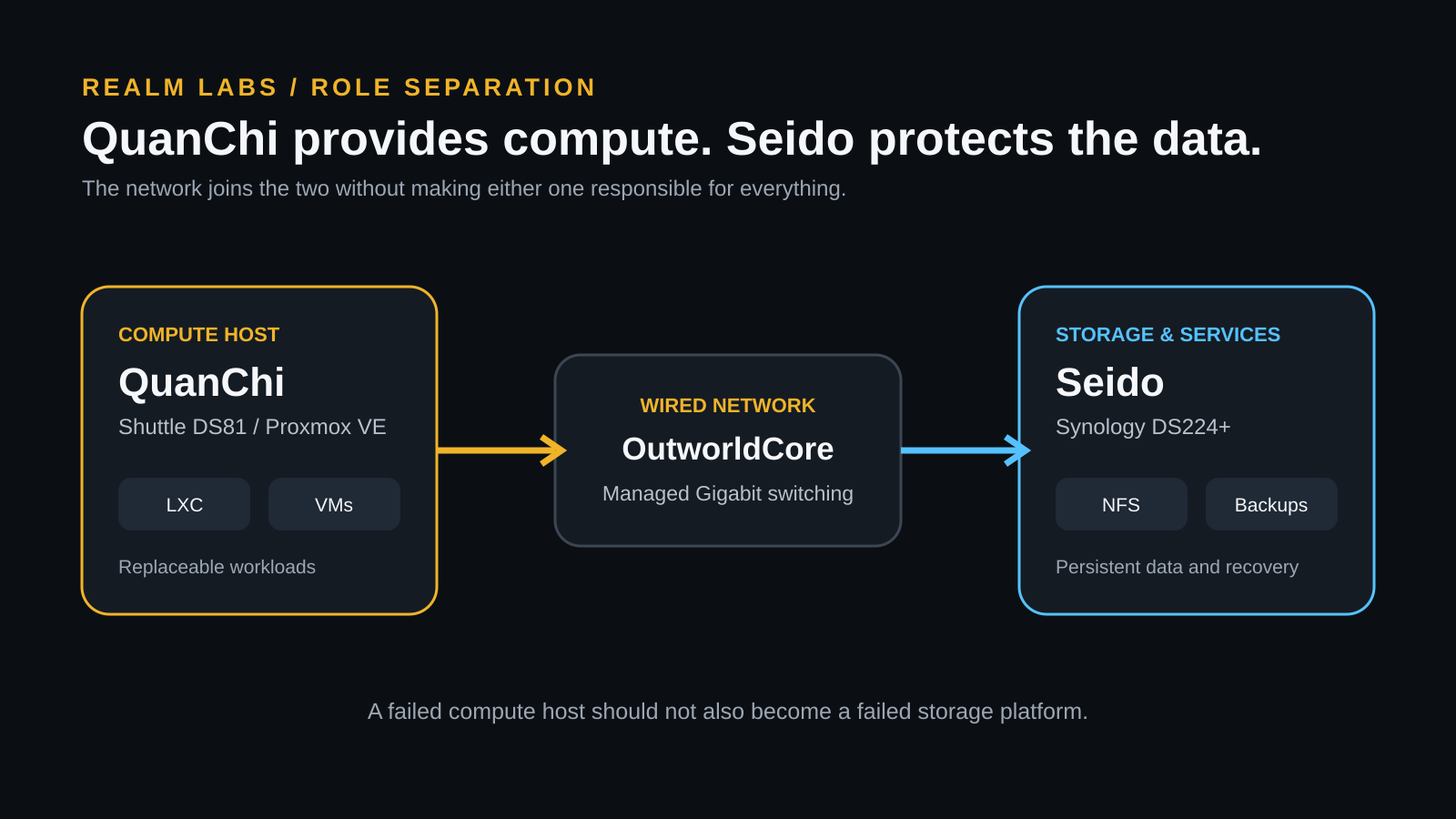
This division makes troubleshooting more logical. If every guest becomes slow, I inspect QuanChi. If storage disappears while the guests remain healthy, I inspect Seido or the network path. If a single service fails, I can concentrate on that guest instead of treating the whole lab as one application.
Hardware Behind the Proxmox Platform
The hardware is modest by server standards, but it matches the workload. The older models link to the current equivalents already recorded on the Realm Labs hardware page.
Shuttle DS81
The physical QuanChi host, using an Intel Core i5 and 16 GB of DDR3 memory. A compact mini PC is the closest current equivalent.
Synology DS224+
Seido supplies independent network storage and a backup destination. The current equivalent listed on the hardware page is the DS225+.
HP ProCurve 2810G-24
OutworldCore provides the wired Gigabit backbone joining QuanChi, Seido and the rest of the lab. The linked HP 2530-24G is the current equivalent.
Affiliate disclosure: The Amazon buttons are affiliate links. Realm Labs may receive a small commission from a qualifying purchase at no additional cost to you.
Why Proxmox Fits This Kind of Homelab
I wanted one platform that could run efficient Linux services and complete operating systems without forcing every project onto separate physical hardware. Proxmox combines KVM virtual machines, LXC containers, virtual networking, storage management, snapshots, backups, console access and resource monitoring behind one interface.
The important benefit is not simply having more virtual computers. It is being able to separate workloads. A monitoring experiment should not alter the MQTT broker. A Windows test machine should not become the host for every Linux service. A failed package upgrade should affect one guest rather than the physical server.
What Runs on QuanChi
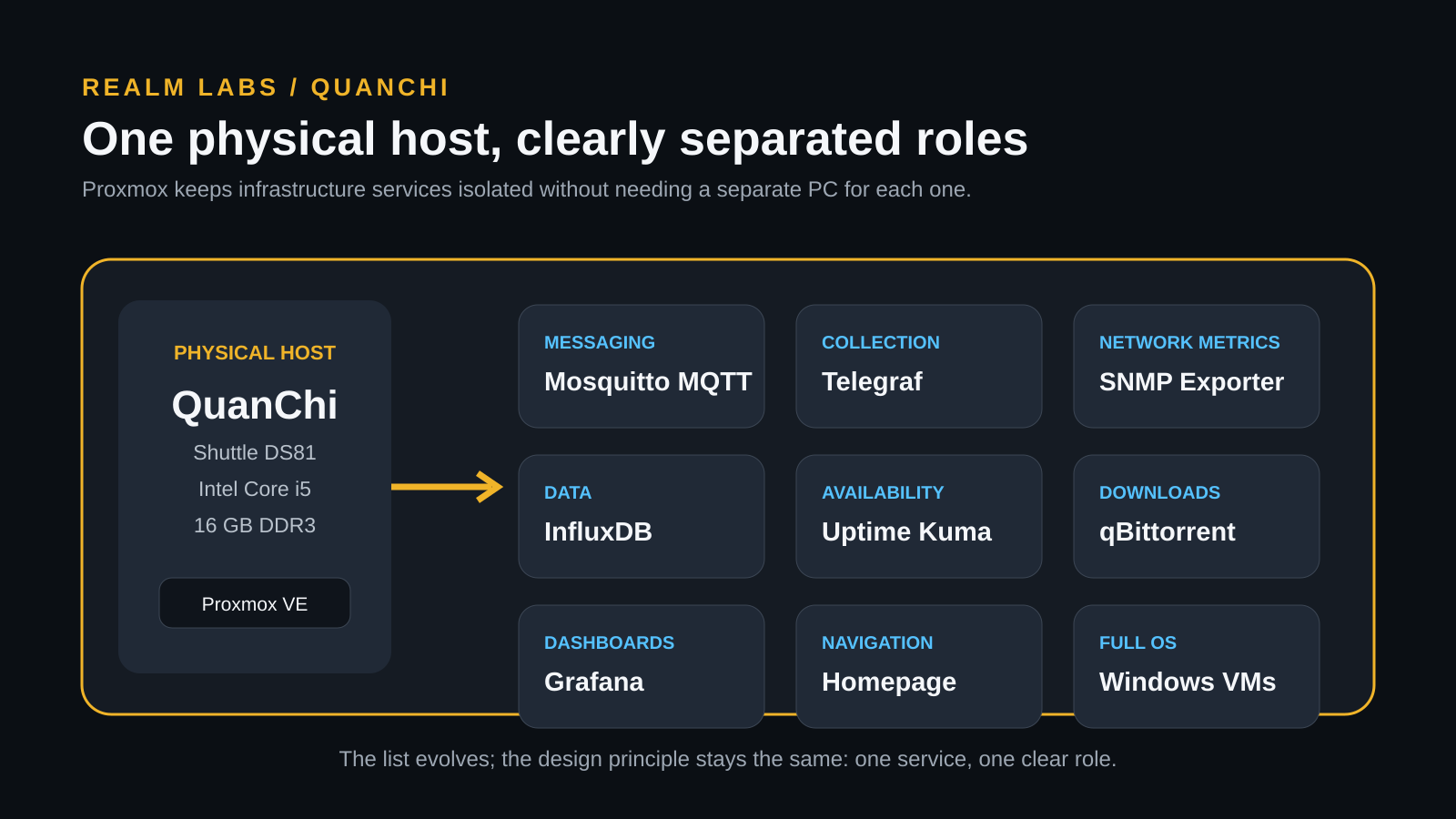
The exact list changes as projects evolve, but QuanChi has hosted the following core services and workload types:
| Workload | Typical guest | Role in Realm Labs |
|---|---|---|
| Mosquitto MQTT | LXC | Local messaging between automation systems and physical projects |
| InfluxDB | LXC | Time-series storage for infrastructure metrics |
| Grafana | LXC | Dashboards, trends and deeper investigation |
| Telegraf | LXC | Metric collection and forwarding |
| Uptime Kuma | LXC | Simple availability checks for internal services |
| Homepage | LXC | Navigation portal for lab tools and projects |
| SNMP Exporter | LXC | Network-device metrics for Prometheus |
| qBittorrent | LXC | Isolated download workload |
| Windows systems | VM | Domain, application and configuration testing |
| Docker services | Dedicated guest | Containerised applications managed separately from the host |
The Docker layer is managed as its own concern. Why I Use Portainer in Realm Labs explains why I treat Proxmox as the infrastructure platform and Portainer as the Docker management interface rather than pretending they solve the same problem.
Choosing Between LXC and a Virtual Machine
LXC containers are normally my first choice for a small Linux service. They start quickly, use relatively little memory and avoid the overhead of a complete guest kernel. That matters on a 16 GB host.
A virtual machine is the better choice when the workload needs Windows, a separate kernel, stronger isolation or software that expects a normal full operating system. Neither guest type is universally better.
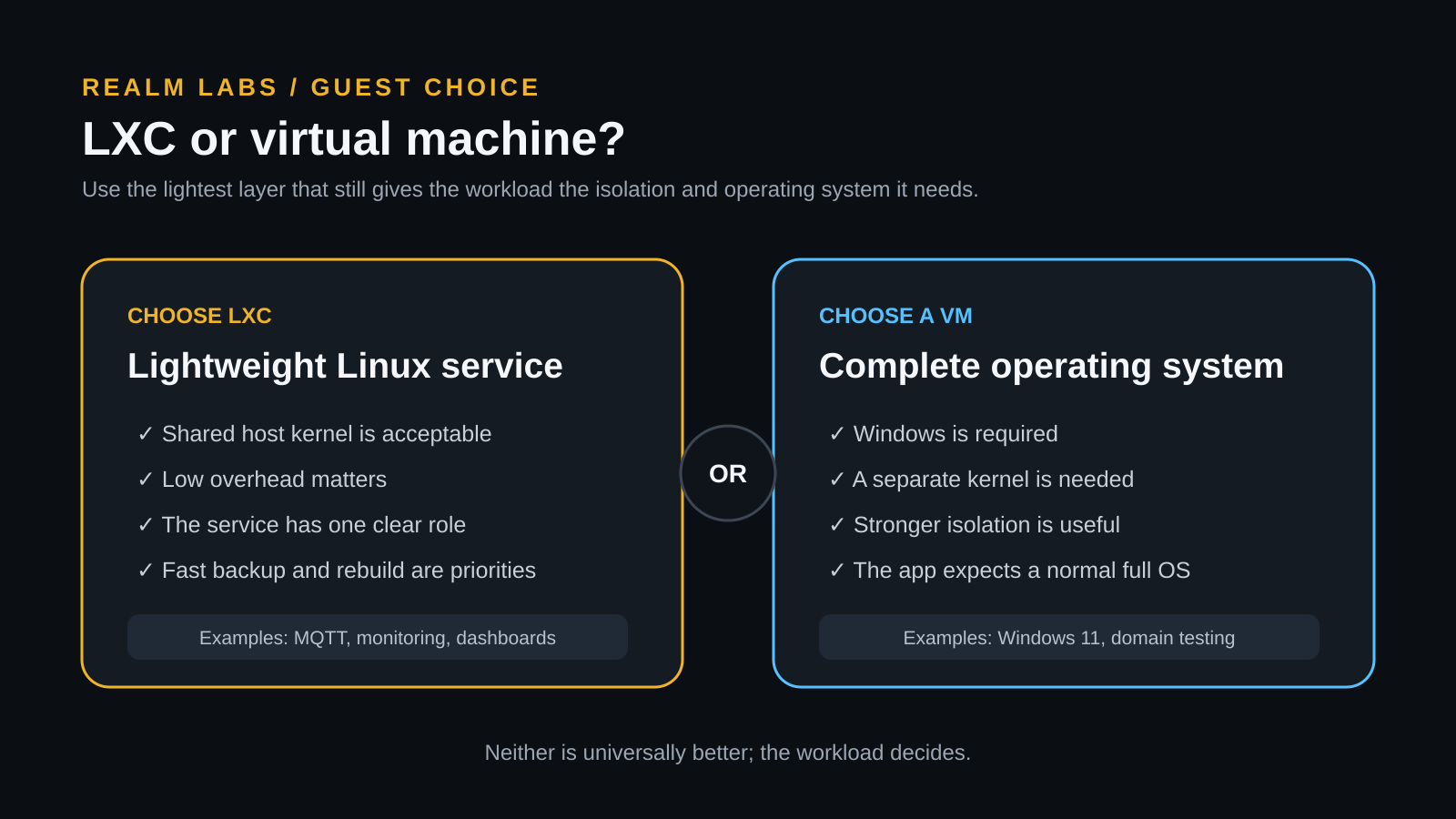
The practical rule is simple: use the lightest layer that still provides the operating system, compatibility and isolation the workload genuinely needs.
Windows and Active Directory Testing
Windows is the clearest case for a full VM. A virtual Windows client behaves much more like a physical PC while still being easy to snapshot, clone, reset and isolate.
Realm Labs uses this capability to test domain login, Group Policy, mapped drives, permissions, Remote Desktop and desktop configuration against the Order Realm environment. That gives me a safe place to try changes without immediately applying them to a physical workstation.
The wider directory design is explained in Running Active Directory on a Synology DS224+.
Separating Compute from Storage
One of the most important Realm Labs design choices is keeping storage separate from compute where practical.
- QuanChi runs virtual machines and containers.
- Seido provides shared storage, persistent data and backup capacity.
- OutworldCore provides the wired network path between them.
A failed compute host is inconvenient, but it should not automatically become a failed storage platform. This makes rebuilds and upgrades less intimidating because the machine running a service is not always the only place its valuable data exists.
The full arrangement is documented in Building the Storage Backbone of Realm Labs. One important lesson is that protocol details still matter; the Synology NFSv3 troubleshooting guide shows how a version mismatch can make healthy storage appear unavailable.
Virtual Networking and DNS
Proxmox uses Linux bridges to connect guests to the physical network. From the viewpoint of other Realm Labs systems, a VM or container can behave like another normal device with its own address and hostname.
This makes integration easy, but it also means that switching, addressing and DNS remain part of the service. A perfectly healthy container can appear broken when another system cannot resolve its name or reach the correct VLAN or subnet.
When several unrelated services become unreachable at once, I check the common path before changing every guest. The physical layout and lessons from a real switch replacement are covered in Building the Realm Labs Home Network.
Resource Allocation Without Guesswork
Homelab services often need far fewer resources than expected. A small MQTT broker does not need the same memory allocation as Windows, and a lightweight status service should not reserve half the host simply because memory is available.
I start with a sensible allocation, watch the guest under real use and increase it only when the evidence supports the change. That leaves capacity for other workloads and makes abnormal growth easier to notice.
Memory pressure matters more than an impressive-looking configuration screen. If multiple guests are given resources they never use, the host still has to plan around those decisions.
Snapshots, Backups and Recovery
Snapshots are excellent for short-term experimentation. Before a package upgrade, Group Policy test or configuration change, I can capture the current state, make the change and roll back if the result is wrong.
A snapshot is not an independent backup. It normally depends on the same storage and the same virtualisation environment. If that underlying layer fails, the snapshot may fail with it.
Proper recovery therefore includes guest backups, persistent application data, configuration, documentation and knowledge of where each service lives. What I Back Up Before a Major Proxmox Upgrade records the items I protect before making a significant host change.
Monitoring the Host and Its Guests
One unhealthy hypervisor can make a collection of unrelated services appear broken. That is why QuanChi is monitored as a system, not merely treated as the place where other systems run.
- CPU load and memory pressure
- Swap and storage consumption
- Temperature and uptime
- Guest availability and service response
- Longer-term trends that show capacity changing over time
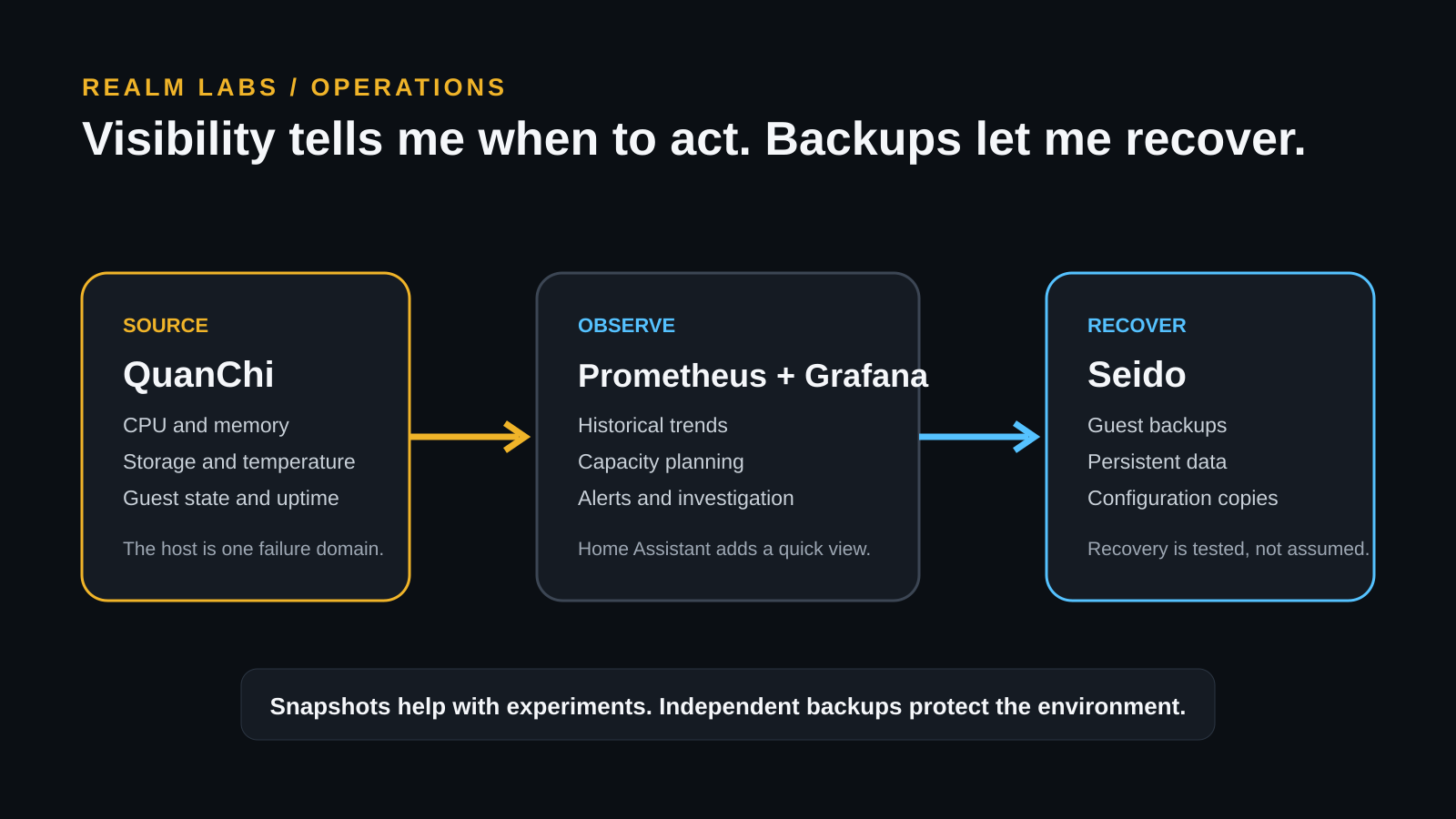
Home Assistant provides a quick operational view, while Prometheus and Grafana provide history and deeper analysis. The complete monitoring path is covered in Monitoring My Entire Home Lab with Home Assistant, Prometheus and Grafana.
A Systematic Troubleshooting Order
When a guest looks broken, I work through the shared layers before making random changes:
- Confirm that the guest is running in Proxmox.
- Check that it has the expected address.
- Test reachability to the gateway and required local systems.
- Confirm that DNS returns the correct destination.
- Test the actual service port rather than relying only on ping.
- If several guests fail together, inspect QuanChi, storage and the network first.
This order follows the dependency chain. It is faster than changing guest settings simply because the guest is where the symptom appeared.
Monitoring has also moved beyond host-level Node Exporter. When I needed LXC resource figures to agree with the Proxmox summary, I added a read-only PVE Exporter path into Prometheus. The full setup is documented in Monitoring Proxmox LXC Containers Accurately with Prometheus and PVE Exporter.
What Proxmox Has Changed About the Lab
Proxmox has made experimentation safer, but its greater value is architectural. Workloads have names, boundaries and recovery plans. A new service can be tested without permanently changing the physical host. A failed experiment can be discarded. A useful service can be documented and backed up.
The main lessons have been consistent:
- Use the simplest guest type that fits the workload.
- Keep persistent data separate where practical.
- Allocate resources from evidence rather than guesswork.
- Monitor the physical host as well as the services.
- Treat snapshots as temporary protection and backups as recovery.
- Document names, addresses, storage and dependencies.
The Foundation, Not the Entire Building
QuanChi is one of the foundations of Realm Labs because it gives services somewhere controlled and replaceable to run.
It works because the host is not expected to be everything. Seido protects the important data. The network connects the layers. Monitoring makes problems visible. Documentation and backups make recovery realistic.
That combination is more valuable than the hypervisor on its own—and it is what turned a small repurposed Shuttle into dependable homelab infrastructure.