
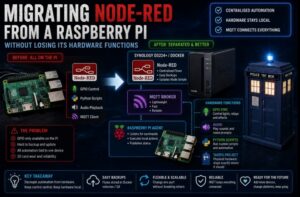

This guide shows how to migrate Node-RED Raspberry Pi hardware without losing GPIO, audio or local Python control. I moved the automation logic into a central Docker setup and left a lightweight MQTT agent on the Pi.
At first, Node-RED had been running directly on the Pi because it was convenient.
The Pi already handled:
- GPIO
- Audio playback
- TARDIS lighting
- Local Python scripts
- Timed automation
- MQTT
- Home Assistant integration
So Node-RED had easy access to everything.
That worked well.
Until I wanted to move Node-RED somewhere better.
The obvious problem was that a central Node-RED instance doesn’t have access to the Raspberry Pi’s GPIO pins, local sound card or scripts.
So moving Node-RED wasn’t just a case of exporting the flows and importing them somewhere else.
I had to separate the automation logic from the physical hardware.
The solution was MQTT.
Migrate Node-RED Raspberry Pi: At a Glance
| Before | After |
|---|---|
| Node-RED ran directly on the Raspberry Pi | Node-RED runs centrally in Docker on the Synology |
| Flows controlled GPIO, audio and scripts locally | Flows publish MQTT commands to a lightweight Pi agent |
| Automation and hardware depended on one SD card | Automation logic and the hardware endpoint can be restored separately |
| Updates and backups were tied to the Pi | The container and Pi can be maintained independently |
The key lesson is simple: move the decision-making, not the hardware access. My Node-RED home automation overview explains how the central flows fit into the wider Realm Labs setup.
The Original Setup
The early version looked roughly like this:
Raspberry Pi
   |
   +-- Node-RED
   +-- GPIO
   +-- Python scripts
   +-- WAV files
   +-- MQTT
   +-- TARDIS hardware
Node-RED could directly execute commands such as:
python3 /home/pi/scripts/led.py
or:
aplay /home/pi/audio/tardis.wav
It could also control the GPIO pins directly.
That made development simple.
But it also meant the entire automation system was tied to one Raspberry Pi.
Why I Wanted to Move Node-RED
As the home lab grew, I started moving more services into Docker and onto the Synology infrastructure.
Node-RED was a natural candidate.
A central instance would give me:
- Easier backups
- Easier updates
- Better separation between automation and hardware
- Less reliance on the Pi’s SD card
- One Node-RED instance for the whole home
- Easier management through Portainer
The proposed architecture became:
Synology / Docker
      |
      v
   Node-RED
That looked cleaner.
But there was a problem.
Containers Can’t Reach Raspberry Pi GPIO
Once Node-RED runs on another machine, this:
Node-RED
   |
   v
GPIO 13
is no longer possible.
The GPIO pins physically exist on the Raspberry Pi.
The Docker host has no idea they exist.
The same problem applies to:
/home/pi/scripts
and:
/home/pi/audio
Those files belong to the Pi.
So if I simply migrated the Node-RED flows, anything that relied on local hardware would break.
The Architecture Needed to Change
The key was to stop treating Node-RED as the thing that directly controlled the hardware.
Instead, Node-RED would become the brain.
The Raspberry Pi would become the hardware controller.
That changed the architecture from:
Node-RED
   |
   +-- GPIO
   +-- Sound
   +-- Scripts
to:
Central Node-RED
       |
       v
      MQTT
       |
       v
Raspberry Pi Agent
       |
       +-- GPIO
       +-- Sound
       +-- Scripts
That separation turned out to be much better.
MQTT Was the Bridge
MQTT is ideal for this kind of job.
Node-RED doesn’t need to know how the Pi controls the LED.
It only needs to send a message.
For example:
Topic:
pi/tardis/command

Payload:
LIGHT_ON
The Pi receives the message and handles the actual hardware.
That means the automation logic can live anywhere.
Node-RED could be running on:
- Synology
- Docker
- Proxmox
- Another Raspberry Pi
- A VM
The physical Pi only needs network connectivity to the MQTT broker.
Building the Pi Agent
The solution was a lightweight Python service running on the Raspberry Pi.
Its job was simple:
Connect to MQTT
Listen for commands
Run the correct local action
Conceptually:
if command == "LIGHT_ON":
    turn_light_on()

elif command == "LIGHT_OFF":
    turn_light_off()

elif command == "PLAY_SOUND":
    play_sound()
This meant all the hardware-specific code stayed on the Pi.
Node-RED only had to publish messages.
A Simple MQTT Example
Using Python and paho-mqtt, the basic structure looks like this:
import paho.mqtt.client as mqtt

BROKER = "192.168.68.20"
TOPIC = "pi/tardis/command"

def on_message(client, userdata, msg):
    command = msg.payload.decode()

    print(f"Received: {command}")

    if command == "LIGHT_ON":
        print("Turning light on")

    elif command == "LIGHT_OFF":
        print("Turning light off")

client = mqtt.Client()
client.on_message = on_message

client.connect(BROKER, 1883, 60)
client.subscribe(TOPIC)

client.loop_forever()
That is the basic idea.
The real script can then call GPIO functions, shell commands or Python scripts.
Controlling GPIO Locally
The Pi agent can retain all the normal GPIO functionality.
For example:
import RPi.GPIO as GPIO

LED_PIN = 35

GPIO.setmode(GPIO.BOARD)
GPIO.setup(LED_PIN, GPIO.OUT)
Then:
GPIO.output(LED_PIN, GPIO.HIGH)
or:
GPIO.output(LED_PIN, GPIO.LOW)
Node-RED never needs to know which GPIO pin is involved.
It just sends:
LIGHT_ON
That makes the automation flow much easier to understand.
Playing Audio Remotely
The same model works for sound.
Instead of Node-RED trying to run:
aplay /home/pi/audio/tardis.wav
on the Docker host, it sends:
PLAY_TARDIS
The Raspberry Pi receives the command and runs:
aplay /home/pi/audio/tardis.wav
locally.
That avoids problems with:
- Audio devices
- File paths
- Permissions
- Missing files
- Container audio access
The sound stays where the speaker is.
Running Existing Python Scripts
I already had scripts for effects such as lighting and strobing.
Rather than rewriting everything, the agent could simply launch them.
For example:
import subprocess

subprocess.Popen([
    "python3",
    "/home/pi/scripts/FastStrobe.py"
])
That meant the existing hardware work wasn’t wasted.
The MQTT layer simply became the trigger.
Node-RED Became Much Simpler
The old Node-RED flow might contain an Exec node with something like:
python3 /home/pi/scripts/FastStrobe.py
After the migration, the same flow only needed to publish:
Topic:
pi/tardis/command

Payload:
FAST_STROBE
That’s a much cleaner separation.
The flow describes what should happen.
The Pi decides how it happens.
Running the Pi Agent as a Service
One problem with a standalone Python script is that it stops when the SSH session closes.
That isn’t suitable for automation.
So I turned the agent into a systemd service.
A service file can look like:
[Unit]
Description=Realm Labs Pi Agent
After=network.target

[Service]
ExecStart=/home/pi/pi-agent-venv/bin/python /home/pi/pi-agent.py
Restart=always
User=pi

[Install]
WantedBy=multi-user.target
Save it as:
/etc/systemd/system/pi-agent.service
Then reload systemd:
sudo systemctl daemon-reload
Enable the service:
sudo systemctl enable pi-agent
Start it:
sudo systemctl start pi-agent
And check it:
sudo systemctl status pi-agent
Now the hardware controller starts automatically with the Pi.
The First Failure: Missing Python Module
Of course, it did not work perfectly first time. The service failed because the MQTT Python dependency was not installed.
On a current Raspberry Pi OS installation, I would keep the agent dependencies in a virtual environment instead of installing packages globally:
sudo apt update
sudo apt install python3-venv
python3 -m venv /home/pi/pi-agent-venv
/home/pi/pi-agent-venv/bin/pip install paho-mqtt RPi.GPIO
The exact GPIO package depends on the Pi model, operating system and library used by the project. The important part is that the systemd service and the manual test use the same Python environment.
That is why the service example above points ExecStart at /home/pi/pi-agent-venv/bin/python. After changing the unit file, reload systemd and restart the agent:
sudo systemctl daemon-reload
sudo systemctl restart pi-agent
sudo systemctl status pi-agent
Adding an Online Status
Once the Pi became a remote hardware agent, I wanted Node-RED and Home Assistant to know whether it was actually online.
So the agent also published a status message.
For example:
Topic:
pi/tardis/status

Payload:
online
This can be sent when the agent starts.
That gives Node-RED something useful to monitor.
Instead of blindly sending commands to an offline Pi, the automation system can know whether the controller is available.
Using MQTT Last Will
A better version of this uses MQTT’s Last Will and Testament feature.
The Pi connects with a last-will message such as:
Topic:
pi/tardis/status

Payload:
offline
Then, if the Pi disappears unexpectedly, the broker automatically publishes:
offline
That gives the system a proper availability state.
The behaviour becomes:
Pi connects
    |
    v
status = online

Pi crashes or loses network
    |
    v
MQTT broker publishes offline
This is much more useful than relying only on periodic polling.
Home Assistant Integration Became Easier Too
Once the Pi was controlled through MQTT, Home Assistant could interact with it directly as well.
The path became:
Home Assistant
       |
       v
      MQTT
       |
       v
Raspberry Pi
or:
Home Assistant
       |
       v
Node-RED
       |
       v
MQTT
       |
       v
Raspberry Pi
That made the physical project much less dependent on any one automation platform.
Operational Details I Added After the First Version
The first working version proved the architecture. Making it dependable required a few extra rules:
- Use a dedicated MQTT account. Keep its credentials in a protected configuration or environment file rather than inside the script.
- Publish availability. A retained online message plus MQTT Last Will gives Node-RED and Home Assistant a useful offline state.
- Retain desired state, not momentary commands. A retained “light on” state can be useful after reconnecting; a retained “play sound” command could replay unexpectedly.
- Give every client a unique ID. Duplicate MQTT client IDs can disconnect each other and create confusing intermittent faults.
- Allow-list commands. The agent maps known messages to known functions instead of executing arbitrary shell text received over MQTT.
- Make commands repeat-safe. Setting a light to ON twice should leave it on, and acknowledgements should report what the Pi actually did.
These details matter when the same broker also supports physical MQTT control panels and other automations. They also make a future MQTT server migration much less risky.
The TARDIS Was the Perfect Test
The model TARDIS was where this architecture really proved itself.
The Pi still handled:
- Top lamp
- Interior lights
- Sign lighting
- Audio
- Python effects
- GPIO timing
But the higher-level automation could now happen elsewhere.
For example:
Sunset
   |
Home Assistant
   |
Node-RED
   |
MQTT
   |
Raspberry Pi
   |
TARDIS Take-Off Sequence
The hardware hadn’t changed.
Only the control architecture had.
Why This Is Better Than Remote SSH
Another option would have been for Node-RED to SSH into the Pi and execute commands remotely.
For example:
ssh pi@raspberrypi python3 /home/pi/scripts/led.py
That would work.
But I didn’t particularly like it.
It introduces:
- SSH credentials
- Key management
- Remote shell execution
- Command quoting
- Connection startup delay
- More complicated error handling
MQTT is much cleaner for small automation commands.
The message:
FAST_STROBE
is far easier to work with than a remote shell command.
MQTT Also Decouples the Systems
This is probably the biggest architectural advantage.
Node-RED doesn’t know that the hardware is a Raspberry Pi.
The Pi doesn’t know that the command came from Node-RED.
Both systems only know about MQTT.
That means I can later replace Node-RED with something else without rewriting the Pi.
Likewise, I could replace the Pi hardware controller without completely rebuilding the automation flows.
The relationship becomes:
Automation
    |
    v
MQTT Topic
    |
    v
Hardware Controller
That’s a much more flexible design.
Centralising Node-RED
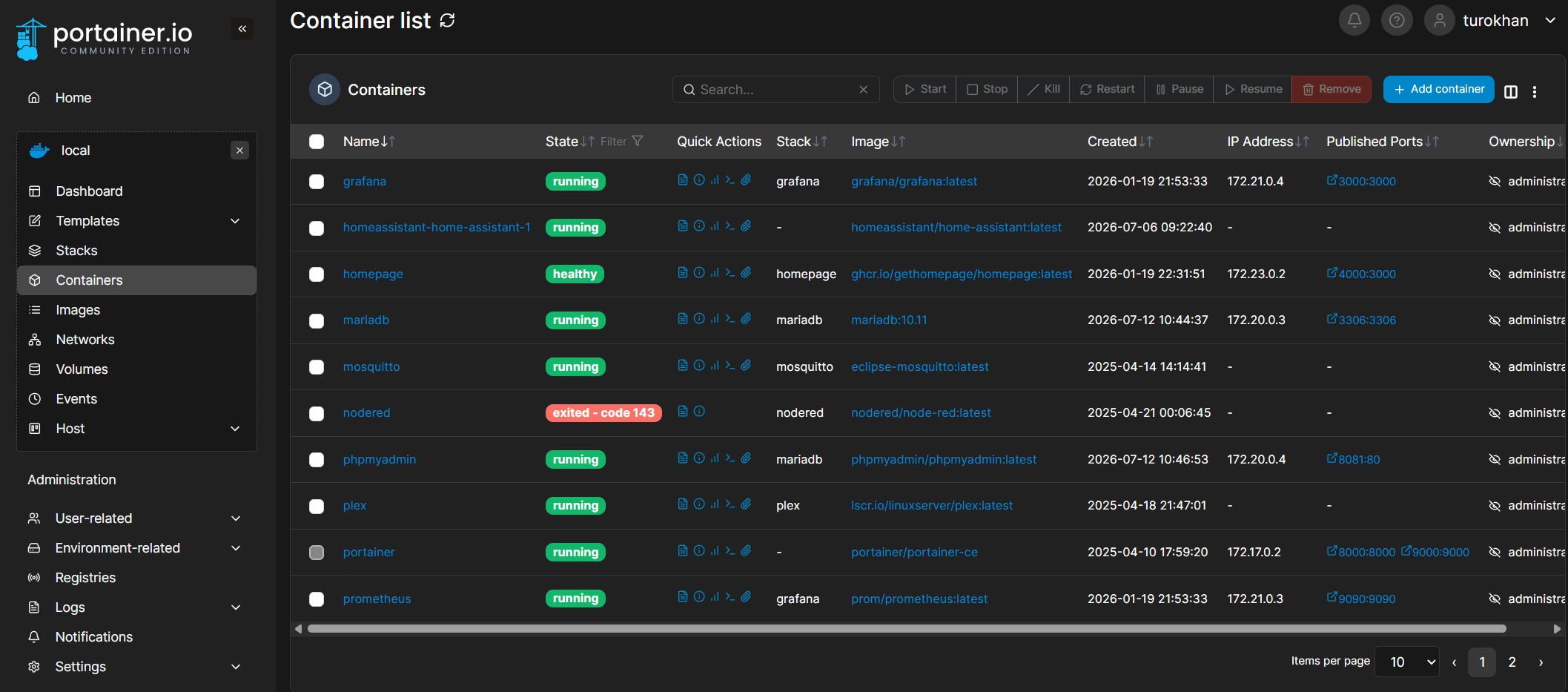
I use Portainer to manage Docker in the home lab, so the central Node-RED container can be updated and monitored alongside the other services.
With the hardware problem solved, I could move Node-RED into the central Docker environment.
The official Node-RED Docker guide documents the container image and the persistent /data volume used to keep flows and configuration outside the container lifecycle.
The new arrangement became:
Synology DS224+
       |
     Docker
       |
    Node-RED
       |
       v
MQTT Broker
       |
       v
Raspberry Pi
       |
       +-- GPIO
       +-- Audio
       +-- Scripts
       +-- TARDIS
Node-RED could now be updated and backed up independently from the Pi.
And the Raspberry Pi could be rebuilt without losing the entire automation platform.
What Happens If the Pi Is Rebuilt?
This separation also made disaster recovery much easier.
The Pi only needs:
Operating system
Python
MQTT agent
GPIO scripts
Audio files
systemd service
Node-RED itself doesn’t need to be restored to it.
That means a Pi rebuild becomes much smaller and more predictable.
Testing the Migration
Once the central Node-RED instance was running, I tested each hardware command separately.
For example:
LIGHT_ON
LIGHT_OFF
FAST_STROBE
PLAY_SOUND
I could publish test messages manually using MQTT tools.
For example:
mosquitto_pub \
  -h 192.168.68.20 \
  -t pi/tardis/command \
  -m "LIGHT_ON"
If the light came on, I knew:
MQTT broker
Pi agent
GPIO
were all working.
That made debugging much easier than trying to test the entire automation chain at once.
Troubleshooting the Pi Agent
If the hardware stops responding, the first thing I check is the service.
sudo systemctl status pi-agent
Then:
journalctl -u pi-agent
That reveals Python errors, MQTT connection failures and permission problems.
Next I check whether the broker is reachable:
ping 192.168.68.20
Then MQTT itself:
mosquitto_sub \
  -h 192.168.68.20 \
  -t pi/tardis/command \
  -v
That makes it easy to see whether Node-RED is publishing anything.
Troubleshooting from Node-RED
On the Node-RED side, I use Debug nodes around MQTT outputs and decision points.
The question becomes:
Did Node-RED send the command?
If yes, troubleshoot MQTT and the Pi.
If no, troubleshoot the flow.
That separation is extremely useful.
The Final Architecture
The end result looked like this:
                   ┌─────────────────────┐
                   │   Home Assistant    │
                   └──────────┬──────────┘
                              |
                              v
                   ┌─────────────────────┐
                   │      Node-RED       │
                   │  Synology / Docker │
                   └──────────┬──────────┘
                              |
                              v
                   ┌─────────────────────┐
                   │     MQTT Broker     │
                   └──────────┬──────────┘
                              |
                              v
                   ┌─────────────────────┐
                   │   Raspberry Pi      │
                   │     Pi Agent        │
                   └──────────┬──────────┘
                              |
               ┌──────────────┼──────────────┐
               |              |              |
               v              v              v
             GPIO          Audio         Scripts
               |
               v
             TARDIS
Node-RED handles automation.
MQTT handles communication.
The Raspberry Pi handles hardware.
Each system does the job it is best suited to.
What I Learned
The biggest lesson was that migrating an application isn’t always about moving the application itself.
Sometimes you have to rethink the dependencies around it.
The old design was:
Node-RED controls everything directly
The new design became:
Node-RED decides what should happen
        |
        v
MQTT carries the instruction
        |
        v
Pi performs the physical action
That’s much cleaner.
A Useful Pattern Beyond Raspberry Pi
This architecture isn’t limited to Node-RED or GPIO.
The same idea works for almost any remote hardware controller.
For example:
Central automation
       |
       v
MQTT
       |
       +-- Raspberry Pi
       +-- ESP32
       +-- Arduino gateway
       +-- Linux server
       +-- Sensor controller
The automation system remains centralised while hardware stays local.
Hardware Used in This Migration
- Raspberry Pi 4 “NoobSaibot”: runs the Python agent and keeps GPIO, audio and hardware-specific timing beside the physical projects.
- Synology DS224+ “Seido”: hosts the central Docker and Portainer environment where Node-RED runs.
- Relay, lighting and audio hardware: remains connected to the Pi, so the migration does not require rewiring every project.
As an Amazon Associate I earn from qualifying purchases, at no extra cost to you.
Related Realm Labs Guides
- Building the smart TARDIS automation
- Rebuilding a Raspberry Pi without rebuilding the automation
- Node-RED WAV file and Python audio troubleshooting
The Realm Labs Takeaway
At first, moving Node-RED away from the Raspberry Pi looked like it would break everything connected to the Pi.
In reality, it forced me to build a better architecture.
The problem was:
Central Node-RED can't access remote GPIO
The solution was:
Don't make it access GPIO
Instead:
Node-RED
   |
   v
MQTT
   |
   v
Pi Agent
   |
   v
GPIO
Once I made that separation, Node-RED was free to run wherever I wanted.
And the Raspberry Pi became what it should have been all along:
A small, dedicated hardware controller rather than the machine responsible for the entire automation stack.