
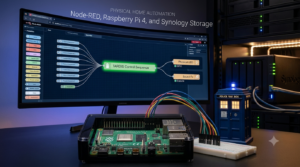

Node-RED home automation has become one of the key systems behind Realm Labs. It provides a visual way to connect Home Assistant, MQTT and physical hardware without forcing every automation to live on the same device.
The project began with Node-RED home automation running directly on a Raspberry Pi 4. That was ideal for early experiments because the Pi could control GPIO pins, run Python scripts and trigger local audio. As the lab grew, however, keeping the automation logic and the hardware tied together became harder to maintain.
The current design separates those jobs. Node-RED handles the logic, Home Assistant provides the entities and dashboard controls, MQTT carries commands across the network, and the Raspberry Pi or ESP32 performs the physical action. Synology storage provides a central place for the important configuration and flow backups. One example is the ESP32 MOSFET model-lighting controller, where Node-RED handles the schedule and the ESP32 generates the lighting effects locally.
Where Node-RED Fits in Realm Labs
The automation path now looks roughly like this:
Home Assistant → Node-RED → MQTT → Raspberry Pi / ESP32 → Physical hardwareNot every flow uses every layer, but the separation gives each platform a clear purpose.
- Home Assistant manages devices, entities, dashboards and the controls people interact with.
- Node-RED evaluates conditions, timings and sequences before deciding what should happen.
- MQTT provides a lightweight message layer between the central services and remote hardware.
- Raspberry Pi and ESP32 devices handle GPIO, scripts, LEDs, relays and audio close to the hardware.
This arrangement also complements the wider Home Assistant setup at Realm Labs. Home Assistant remains the central smart-home interface, while Node-RED takes care of the more involved logic that is easier to understand as a visual flow.
Why the Original Raspberry Pi Setup Worked
Running Node-RED directly on a Raspberry Pi 4 was a sensible starting point. Nodes such as rpi-gpio could communicate with the GPIO header, and the same device could run supporting Python or shell scripts.
For a physical project such as the TARDIS control sequence, one flow could receive a trigger and then coordinate lighting, sound effects and timed outputs. Everything was local, so the setup was straightforward and did not depend on several network services.
The weakness only appeared as more projects were added. If the Pi was offline, being rebuilt or needed for hardware testing, the Node-RED flows disappeared with it. Backups, updates and troubleshooting were also spread across devices rather than handled centrally.
Separating the Logic from the Hardware
The improved design keeps Node-RED separate from the hardware controller. The Raspberry Pi still deals with the pins and locally connected equipment, but it no longer needs to hold the complete automation.
Instead, Node-RED publishes a command to MQTT. A lightweight service on the Raspberry Pi subscribes to the relevant topic, validates the command and performs the requested action. The device can then publish its state or result back to MQTT for Home Assistant and Node-RED to monitor.
This was the main principle behind migrating Node-RED away from the Raspberry Pi without losing its hardware functions.
A Typical MQTT Command Flow
A practical flow can be kept deliberately simple:
- A button, schedule or Home Assistant entity triggers the flow.
- Node-RED checks any required conditions, such as the current state or time of day.
- A Change or Function node creates the MQTT topic and payload.
- An MQTT Output node publishes the command.
- The Raspberry Pi receives the message and runs the local GPIO, audio or Python action.
- The Pi publishes a status message so the rest of the system knows whether the action completed.
For example, a TARDIS sequence could use a command topic and a separate status topic:
realmlabs/tardis/set
realmlabs/tardis/status
A Node-RED Function node could prepare a compact JSON command before sending it to the MQTT Output node:
msg.topic = "realmlabs/tardis/set";
msg.payload = {
    action: "dematerialise",
    source: "node-red"
};
return msg;
The exact topic names and actions will vary between projects, but keeping a predictable structure makes flows easier to expand and troubleshoot.
Building a Reliable Node-RED Flow
The most useful Node-RED flows are easy to read at a glance. I try to keep the trigger on the left, processing in the centre and outputs on the right. Debug and status nodes can sit beneath the main path without obscuring the normal sequence.
A reliable physical automation should also account for failure rather than assuming every message succeeds. Useful checks include:
- Confirm that the MQTT broker is available before starting an important sequence.
- Prevent the same command from running twice if a button is pressed repeatedly.
- Add a timeout when waiting for a hardware status response.
- Publish an online or offline state from each hardware controller.
- Keep broker credentials out of exported flows and screenshots.
- Back up the Node-RED flow file before upgrades or major changes.
If the MQTT broker itself needs to move later, maintaining the topic structure greatly reduces the amount of reconfiguration. I documented that process separately in Moving MQTT to a New Server Without Breaking Every Automation.
Troubleshooting the Physical Side
When a flow runs but the physical device does nothing, testing each layer separately is faster than repeatedly redeploying the complete automation.
- Use a Debug node to confirm that Node-RED receives the original trigger.
- Check the topic and payload immediately before the MQTT Output node.
- Subscribe to the topic with a separate MQTT client to prove that the broker is forwarding the message.
- Run the local action manually on the Raspberry Pi to isolate GPIO, script or permission problems.
- Check that the Pi still has the expected IP address and can reach the MQTT broker.
A predictable network address is particularly helpful for hardware controllers. The process is covered in Changing the Raspberry Pi Static IP Address with NetworkManager.
Backing Up Node-RED with Synology Storage
Moving the logic away from a single Raspberry Pi only helps if the central configuration is protected. The flows, credentials file, settings and any supporting scripts should be included in a regular backup.
Synology storage gives Realm Labs a central destination for those backups. The live service and the backup destination remain separate, so rebuilding Node-RED does not mean rebuilding every automation from memory.
Before restoring a backup elsewhere, it is worth checking installed palette nodes, environment-specific paths and credentials. A flow may import successfully but still depend on a node or local file that does not exist on the replacement system.
The Result
The biggest improvement is not a new dashboard or a more complicated flow. It is the ability to change one part of the system without rebuilding everything around it.
Node-RED can be updated or moved without rewiring the Raspberry Pi. Hardware controllers can be replaced without redesigning the Home Assistant dashboard. MQTT topics provide a consistent interface between both sides, while Synology storage keeps the important configuration recoverable.
What began as Node-RED running locally on a Raspberry Pi 4 has become a more resilient automation layer for Realm Labs. The visual flows remain easy to follow, but the system is now much better suited to coordinating Home Assistant, network services and physical projects across the lab.
Download the Example Files
RealmLabs example pack v1.0
Sanitised Node-RED flow, MQTT topic reference and hardware-side notes.
Sanitised examples: replace any YOUR_* placeholders before use. No live credentials, private IP addresses, tokens or other environment-specific secrets are included.