
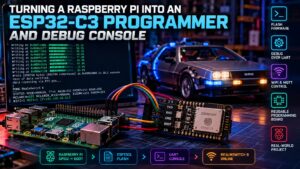

The ESP32-C3 controller in my model lighting setup started life as a simple Wi-Fi and MQTT endpoint. Over time it picked up more jobs: controlling multiple MOSFET outputs, running lighting effects, responding to Node-RED, reporting status and accepting OTA updates. The obvious weak point was that every recovery path still depended on Wi-Fi or a USB cable.
This project closes that gap by turning a Raspberry Pi into a permanent UART console and serial programmer for the ESP32-C3. The Pi can talk directly to the controller, query its state and, when required, put it into the ROM bootloader and flash a complete firmware build over the same ribbon cable.
It builds directly on my earlier Raspberry Pi to ESP32 MOSFET model lighting migration and the original ESP32 model lighting controller. MQTT is still the normal control path, but it is no longer the only way into the board.
What I wanted from the service link
The goal was not simply to get a serial terminal working. I wanted the Pi to become a useful service interface for the ESP32-C3:
- Send simple UART commands such as
PING,STATUSand lighting commands. - Keep working even if Wi-Fi or MQTT is unavailable.
- Use the Pi to force the ESP32-C3 into its serial bootloader.
- Flash the same binaries produced by Arduino IDE.
- Verify the controller automatically after a firmware update.
- Refuse to flash an old binary when the source file is newer.
Normal control still runs through MQTT, which is described in more detail in Centralising Homelab Messaging: Mosquitto MQTT on Synology and my mobile MQTT model control panel. The UART connection is effectively the out-of-band management path.
The wiring
For my ESP32-C3 board the useful service pins are the second UART plus the BOOT strap. The exact pins can vary between boards, so check the schematic for your module before copying this literally.
| Raspberry Pi | ESP32-C3 | Purpose |
|---|---|---|
| GPIO14 / TX | GPIO20 / RX | Pi to ESP serial data |
| GPIO15 / RX | GPIO21 / TX | ESP to Pi serial data |
| GPIO2 | GPIO9 / BOOT | Hold low during reset to enter ROM bootloader |
| GND | GND | Common reference |
I initially tried driving the ESP32-C3 EN pin directly from another Pi GPIO. That stopped the controller booting reliably, so I removed that connection. For now EN is pressed manually during the two reset points in the flash process. A future version could automate EN with a small open-collector transistor stage rather than tying a Pi GPIO directly to the reset pin.
Enabling the Raspberry Pi UART
The Pi UART must be available to applications, not occupied by the Linux serial console. On Raspberry Pi OS I used raspi-config, disabled the serial login shell, kept the serial hardware enabled, then rebooted.
sudo raspi-config

# Interface Options -> Serial Port
# Login shell over serial: No
# Serial hardware enabled: Yes

sudo reboot
After reboot, check that the kernel command line no longer contains a serial console and confirm where /dev/serial0 points:
cat /proc/cmdline
ls -l /dev/serial0

# Example:
# /dev/serial0 -> ttyAMA0
If the pins have previously been manipulated while testing, it is also worth checking the pin mux. In my case GPIO14 needed restoring to its UART alternate function before TX behaved normally.
sudo pinctrl set 14 a0Adding a dedicated UART to the ESP32 firmware
The ESP32-C3 firmware uses a second hardware serial interface for the Pi link. This keeps the normal USB/debug serial output separate from the service channel.
const uint32_t PI_UART_BAUD = 115200;
const uint8_t PI_UART_RX_PIN = 20;
const uint8_t PI_UART_TX_PIN = 21;

HardwareSerial PiUART(1);

void setup()
{
    Serial.begin(115200);

    PiUART.begin(
        PI_UART_BAUD,
        SERIAL_8N1,
        PI_UART_RX_PIN,
        PI_UART_TX_PIN
    );

    PiUART.println("READY ESP32");
}
I then added a small line-based command parser. Keeping it deliberately simple makes it easy to test from a shell script, Python, Node-RED or anything else capable of opening a serial port.
void processPiCommand(String command)
{
    command.trim();
    command.toUpperCase();

    if (command == "PING")
    {
        PiUART.println("PONG ESP32");
        return;
    }

    if (command == "STATUS")
    {
        PiUART.printf(
            "STATUS MODE=%s WIFI=%d MQTT=%d IP=%s\n",
            currentModeName(),
            WiFi.status() == WL_CONNECTED,
            mqtt.connected(),
            WiFi.localIP().toString().c_str()
        );
        return;
    }

    if (command == "ALL OFF")
    {
        allOff();
        PiUART.println("OK ALL OFF");
        return;
    }

    PiUART.println("ERR UNKNOWN COMMAND");
}
My real controller exposes more commands for individual model outputs, breathing effects and the DeLorean time-travel sequence, but the pattern above is the useful bit: one command per line, one predictable response back.
A tiny Pi-side command helper
Rather than opening a terminal program every time, I use a helper called realmswitch. A minimal generic version can be written in Python with pyserial:
#!/usr/bin/env python3
import sys
import time
import serial

PORT = "/dev/serial0"
BAUD = 115200

if len(sys.argv) < 2:
    print("Usage: esp-uart COMMAND")
    raise SystemExit(2)

command = " ".join(sys.argv[1:])

with serial.Serial(PORT, BAUD, timeout=1.5) as ser:
    ser.reset_input_buffer()
    ser.write((command + "\n").encode())
    ser.flush()

    deadline = time.time() + 2
    while time.time() < deadline:
        line = ser.readline().decode(errors="replace").strip()
        if line:
            print(line)
            break
Once installed somewhere in PATH, diagnostics become pleasantly boring:
esp-uart PING
# PONG ESP32

esp-uart STATUS
# STATUS MODE=MANUAL WIFI=1 MQTT=1 IP=YOUR_IP

esp-uart ALL OFF
# OK ALL OFF
Putting the ESP32-C3 into the ROM bootloader
The ESP32-C3 enters its serial download mode when BOOT is held low while the chip is reset. Because BOOT is connected to a Pi GPIO, the Pi can do the first half itself:
# Hold ESP32-C3 BOOT low
sudo pinctrl set 2 op dl

# Press and release EN / RESET on the ESP32-C3

# Release BOOT again
sudo pinctrl set 2 ip pu
At that point esptool can talk directly to the ROM loader over /dev/serial0. I installed it in a Python virtual environment rather than modifying the system Python installation:
python3 -m venv ~/esptool-venv
~/esptool-venv/bin/pip install esptool

~/esptool-venv/bin/esptool \
  --chip esp32c3 \
  --port /dev/serial0 \
  flash-id
Seeing the chip type, flash size and MAC address returned here is the point where the setup stops being theoretical: the Pi is now genuinely acting as an ESP32-C3 programmer.
Flashing an Arduino build from the Pi
Arduino IDE already produces the individual images required by the ESP32 boot process. My build directory contains the application, bootloader, partition table and boot_app0.bin. The relevant offsets for this build are:
0x0000   sketch.ino.bootloader.bin
0x8000   sketch.ino.partitions.bin
0xE000   boot_app0.bin
0x10000  sketch.ino.bin
A generic write command therefore looks like this:
~/esptool-venv/bin/esptool \
  --chip esp32c3 \
  --port /dev/serial0 \
  --baud 460800 \
  write-flash \
  --flash-mode dio \
  --flash-freq 80m \
  --flash-size 4MB \
  0x0000  YOUR_SKETCH.ino.bootloader.bin \
  0x8000  YOUR_SKETCH.ino.partitions.bin \
  0xE000  boot_app0.bin \
  0x10000 YOUR_SKETCH.ino.bin
Those values are correct for this particular ESP32-C3 Arduino build, not a promise that every ESP32 project on earth uses the same flash layout. If you adapt this, use the offsets generated for your board and partition scheme.
The useful bit: a one-command flasher
Typing the complete esptool command every time defeats the point, so I wrapped the process in realmswitch-flash. The script locates the required binaries, checks that the source is not newer than the application binary, handles the BOOT GPIO, prompts for the two manual EN presses and verifies the new firmware over UART afterwards.
#!/bin/bash
set -euo pipefail

ESPTOOL="${ESPTOOL:-$HOME/esptool-venv/bin/esptool}"
PORT="${PORT:-/dev/serial0}"
BOOT_GPIO="${BOOT_GPIO:-2}"
CHIP="${CHIP:-esp32c3}"
BAUD="${BAUD:-460800}"

BUILD_DIR="${1:-}"
[[ -d "$BUILD_DIR" ]] || { echo "Build directory not found"; exit 1; }

APP_BIN="$(find "$BUILD_DIR" -maxdepth 2 -type f -name "*.ino.bin" | head -n1)"
BOOTLOADER_BIN="$(find "$BUILD_DIR" -maxdepth 2 -type f -name "*.ino.bootloader.bin" | head -n1)"
PARTITIONS_BIN="$(find "$BUILD_DIR" -maxdepth 2 -type f -name "*.ino.partitions.bin" | head -n1)"
BOOT_APP_BIN="$(find "$BUILD_DIR" -maxdepth 2 -type f -name "boot_app0.bin" | head -n1)"

# Refuse to flash a stale application binary
SKETCH_DIR="$(dirname "$(dirname "$BUILD_DIR")")"
SKETCH_INO="$(find "$SKETCH_DIR" -maxdepth 1 -type f -name "*.ino" | head -n1 || true)"

if [[ -n "$SKETCH_INO" && "$SKETCH_INO" -nt "$APP_BIN" ]]; then
    echo "SOURCE IS NEWER THAN BINARY"
    echo "Compile the sketch again before flashing."
    exit 1
fi

# Enter ROM bootloader
sudo pinctrl set "$BOOT_GPIO" op dl
read -r -p "Press and release ESP EN, then press ENTER..." _
sudo pinctrl set "$BOOT_GPIO" ip pu

"$ESPTOOL" --chip "$CHIP" --port "$PORT" flash-id

"$ESPTOOL" \
  --chip "$CHIP" \
  --port "$PORT" \
  --baud "$BAUD" \
  write-flash \
  --flash-mode dio \
  --flash-freq 80m \
  --flash-size 4MB \
  0x0000  "$BOOTLOADER_BIN" \
  0x8000  "$PARTITIONS_BIN" \
  0xE000  "$BOOT_APP_BIN" \
  0x10000 "$APP_BIN"

read -r -p "Press and release ESP EN, then press ENTER..." _

sleep 3
esp-uart PING
esp-uart STATUS
Why the source-age check matters
This check was added after I successfully flashed an older binary and then spent time wondering why the new UART commands were missing. The flash itself had worked perfectly; the problem was simply that the application binary had been compiled before the source was updated.
if [[ "$SKETCH_INO" -nt "$APP_BIN" ]]; then
    echo "WARNING: SOURCE IS NEWER THAN BINARY"
    exit 1
fi
It is a tiny guard rail, but it turns a surprisingly easy mistake into an immediate, obvious failure instead of a debugging session.
The finished workflow
My normal update process is now:
- Edit the ESP32 sketch.
- Compile it in Arduino IDE so the build binaries are refreshed.
- Run the Pi-side flasher against the build directory.
- Press EN when prompted to enter the ROM loader.
- Let
esptoolwrite and hash-check all four images. - Press EN again to boot the new firmware.
- Let the script run
PINGandSTATUSover UART.
realmswitch-flash /path/to/arduino/build/esp32.esp32.esp32c3For development I can still use OTA when it is convenient. The difference is that OTA is now a convenience rather than a dependency. If Wi-Fi, MQTT or OTA breaks, the Pi sitting next to the controller still has a direct route into it.
A reusable ESP32-C3 programming header
The part I like most is that this is no longer really a RealmSwitch-specific trick. The same Pi-side wiring can be exposed as a small programming header. Plug in another compatible ESP32-C3, connect TX, RX, BOOT and GND, point the flasher at a different Arduino build directory and the Pi can program that board too.
The firmware verification step is application-specific, but the actual ROM bootloader and esptool process are generic. The next logical improvement is therefore a more neutral espflash wrapper that can accept different projects and optional post-flash verification commands.
How this fits into the wider setup
The controller still belongs to the larger model-lighting system: Node-RED handles the richer schedules and effects, MQTT handles normal messaging, and the ESP32-C3 handles the real-time outputs. That architecture is covered in From Raspberry Pi Relays to an ESP32 MOSFET Model Lighting Controller and Physical Home Automation with Node-RED, Raspberry Pi 4, and Synology.
The serial link adds something different: recovery and maintenance. It gives the Pi a direct hardware path to the controller even when the higher-level stack is unavailable. For a controller that is physically built into a display, that is far more useful than repeatedly reaching for a laptop and USB lead.
Final result
What began as a spare pair of UART wires has turned into a proper little service bus. The Raspberry Pi can now control the ESP32-C3 locally, inspect its state, force it into the ROM bootloader, flash fresh firmware and confirm that the new build has actually started.
Wi-Fi and MQTT remain the everyday control plane. UART is the dependable route underneath them. That is exactly the sort of redundancy I want in a home-lab project: not complicated for the sake of it, but enough low-level access that a network problem does not turn a five-minute firmware change into a strip-down of the hardware.