
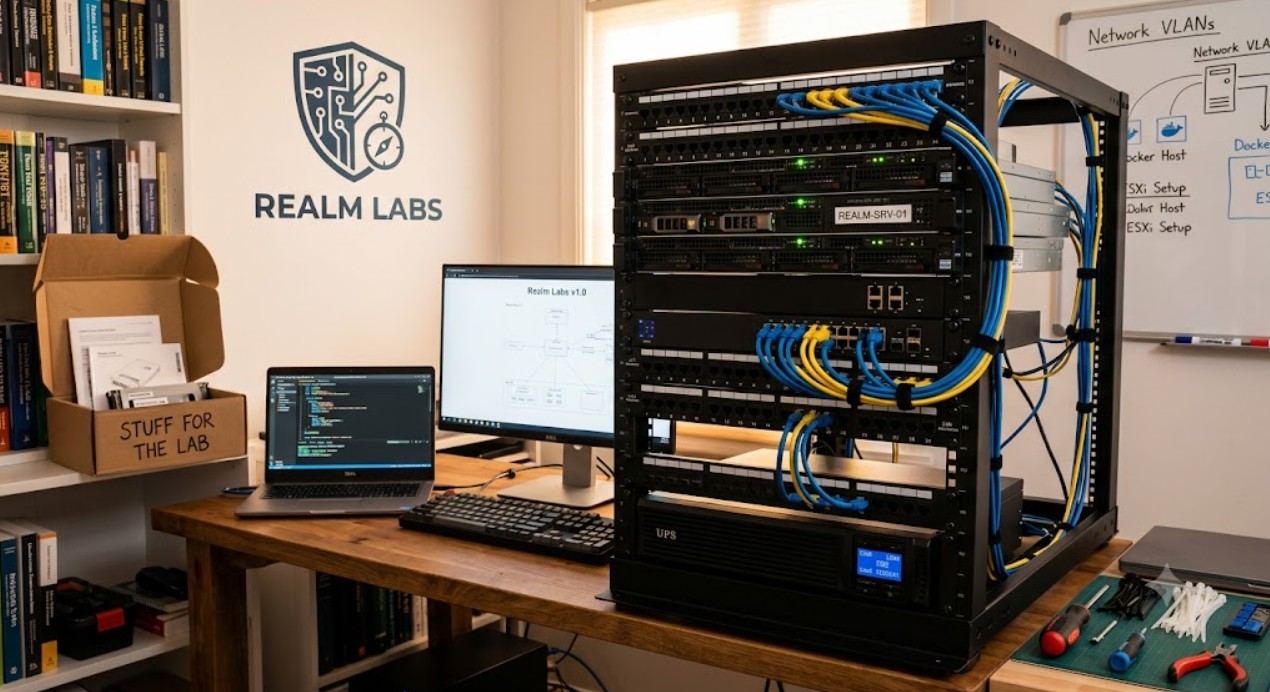
Every project starts somewhere. For Realm Labs, it all began with a home lab.
Why Build a Home Lab?
Technology has always fascinated me, but I wanted more than just using software—I wanted to understand how it worked behind the scenes.
A home lab gives me a place to experiment without fear of breaking production systems. It allows me to build, test, rebuild and learn using real hardware and software, all while documenting the journey.
What started as a simple NAS quickly evolved into a fully connected environment capable of hosting websites, virtual machines, containers, automation platforms and development projects.
The Goals
Before purchasing new hardware or installing software, I defined a few goals:
- Learn enterprise technologies in a real environment
- Host my own services instead of relying on the cloud
- Create a platform for automation and AI projects
- Centralise storage and backups
- Document everything I build
Every decision in the lab is made with these goals in mind.
Virtualisation with Proxmox
At the centre of the lab is Proxmox Virtual Environment.
Rather than dedicating an entire computer to a single operating system, Proxmox allows multiple virtual machines and containers to run on the same hardware.
This makes it easy to:
- Test new software safely
- Create isolated environments
- Take snapshots before making changes
- Recover quickly if something goes wrong
Almost every new project begins as a virtual machine or container before becoming part of the permanent infrastructure.
Container Management with Portainer
Many services run inside Docker containers, managed through Portainer.
Using containers keeps applications isolated and makes updates much simpler.
Current self-hosted services include:
- WordPress
- MariaDB
- Home Assistant
- Node-RED
- Utility services for the wider lab
Portainer provides an easy way to deploy, monitor and update these services without relying entirely on the command line.
Synology Storage
A Synology NAS provides the storage backbone for the lab.
Rather than keeping important data on individual machines, everything is centralised.
The NAS stores:
- Docker volumes
- Backups
- Shared folders
- Project files
- Documentation
- Media
This separation between compute and storage makes maintenance and recovery much easier.
Networking
Reliable infrastructure depends on a reliable network.
The lab combines wired and wireless networking to provide fast, stable connectivity for servers, storage and smart devices.
The network has gradually evolved to support:
- Virtual machines
- Docker services
- Home automation
- Remote management
- File sharing
- Future expansion
Every new device is added with scalability in mind.
Active Directory
To better manage Windows devices, I introduced Active Directory into the lab.
Running a domain environment allows central management of users, computers and Group Policies while providing valuable experience with enterprise technologies.
It also makes testing Windows deployments and policies far easier than managing each machine individually.
Home Automation
The home lab isn’t limited to traditional IT.
It also powers a growing smart home through Home Assistant and Node-RED.
These platforms control lighting, automations, sensors and several custom-built projects, turning the lab into the central brain of the house.
AI and Future Projects
One of the most exciting areas of Realm Labs is experimenting with local AI.
Rather than depending entirely on cloud services, I’m exploring ways to run AI models locally and integrate them into my home lab.
Current and future projects include:
- A personal AI assistant
- Smart automation
- Voice interaction
- Hardware integration
- Custom dashboards
Lessons Learned
Building a home lab isn’t about buying the most powerful hardware.
It’s about solving problems.
Every broken container, networking issue and configuration mistake has been an opportunity to learn something new.
That continual cycle of building, testing and improving is exactly what Realm Labs is all about.
What’s Next?
This article is only the beginning.
Future posts will explore the technologies behind the lab in much more detail, including:
- Building the network infrastructure
- Running WordPress in Docker
- Managing containers with Portainer
- Creating a Windows domain
- Building automation with Node-RED
- Developing AI-powered projects
Every project documented on Realm Labs builds upon this foundation.