
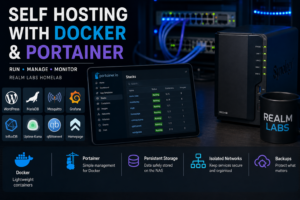

Self hosting with Docker and Portainer is one of the main reasons Realm Labs grew from a collection of individual devices into a proper homelab.
Rather than installing every application directly onto whatever machine happened to be available, I gradually moved services into Docker containers and started managing them through Portainer. The same approach also works well on smaller systems, as shown in my Docker and Portainer Raspberry Pi guide.
That change made the environment much easier to maintain.
Services became more isolated, deployments became repeatable, configuration became easier to document and rebuilding a failed application stopped meaning rebuilding an entire machine.
Today, Docker and Portainer sit underneath a large part of the Realm Labs environment.
Why I Moved to Containers
Before using containers heavily, it was easy for a server to become a mixture of unrelated applications, dependencies and configuration files.
That works initially, but it becomes harder to maintain over time.
An update to one application can affect another, dependencies accumulate and eventually it becomes difficult to remember why a particular package was installed in the first place.
Docker changes that model.
Instead of installing applications directly onto the operating system, each service runs inside its own container with the dependencies it needs.
That gives me several advantages:
- cleaner host systems
- easier application updates
- better separation between services
- simpler recovery
- repeatable deployments
- easier migration between hosts
- more predictable configuration
For a homelab that changes regularly, those benefits add up quickly.
What Portainer Adds
Docker can be managed entirely from the command line, and I still use Docker commands regularly when troubleshooting.
Portainer simply makes everyday management faster.
From one interface I can:
- view running containers
- inspect logs
- restart services
- manage networks
- view volumes
- update images
- deploy Docker Compose stacks
- manage multiple environments
That makes it useful as an operational interface without hiding how Docker actually works underneath.
Portainer is also an administrative control plane, so I keep it on a trusted network or behind authenticated private access. I do not expose its management port directly to the internet.
Docker Compose and Portainer Stacks
Most services in Realm Labs are deployed using Docker Compose rather than long docker run commands.
Portainer refers to Compose deployments as stacks.
A stack acts as the blueprint for a service.
It defines things such as:
- container images
- ports
- environment variables
- networks
- volume mappings
- restart behaviour
- relationships between containers
The advantage is repeatability.
If I need to rebuild a host, I do not have to remember dozens of settings from a GUI. The stack contains the important deployment configuration.
A basic WordPress stack might look like this:
services:
  db:
    image: mariadb:11.8
    container_name: wordpress_db
    restart: unless-stopped

    environment:
      MARIADB_DATABASE: wordpress
      MARIADB_USER: wordpress
      MARIADB_PASSWORD_FILE: /run/secrets/db_password
      MARIADB_RANDOM_ROOT_PASSWORD: "1"

    secrets:
      - db_password

    volumes:
      - /volume1/docker/wordpress/db:/var/lib/mysql

    networks:
      - backend

    healthcheck:
      test: ["CMD", "healthcheck.sh", "--connect", "--innodb_initialized"]
      interval: 10s
      timeout: 5s
      retries: 10

  wordpress:
    image: wordpress:7.1-php8.3-apache
    container_name: wordpress
    restart: unless-stopped

    depends_on:
      db:
        condition: service_healthy

    ports:
      - "8080:80"

    environment:
      WORDPRESS_DB_HOST: db:3306
      WORDPRESS_DB_USER: wordpress
      WORDPRESS_DB_PASSWORD_FILE: /run/secrets/db_password
      WORDPRESS_DB_NAME: wordpress

    secrets:
      - db_password

    volumes:
      - /volume1/docker/wordpress/html:/var/www/html

    networks:
      - frontend
      - backend

secrets:
  db_password:
    file: ./secrets/db_password.txt

networks:
  frontend:
  backend:
    internal: true
This refreshed example uses current versioned images rather than latest, loads the shared database password from a Docker Compose secret, keeps MariaDB on an internal network and waits for its health check before starting WordPress. Create ./secrets/db_password.txt with a strong random password, restrict its permissions and exclude it from source control.
The important part here is not WordPress itself.
It is the fact that the containers can be destroyed and recreated while their persistent data remains somewhere else.
Persistent Storage
Containers should generally be treated as disposable.
The application running inside them may be important, but the container itself should not be the only place where critical data exists.
For that reason, Realm Labs keeps persistent application data outside the containers using bind mounts and volumes.
A large amount of this data is stored centrally on the Synology DS224+.
That includes things such as:
- application configuration
- databases
- website files
- persistent container data
- service-specific folders
This means an application can be recreated without losing the data it relies on.
Why I Use the Synology NAS
Centralising much of the persistent data on the DS224+ has worked well for the way Realm Labs is organised.
It gives me a predictable structure for application data and makes backups much easier.
Instead of important configuration being scattered across several Docker hosts, the NAS provides a central location that can itself be backed up separately.
That also makes migrations easier.
If a Docker host fails, the service definition can be recreated elsewhere and pointed back at the existing data.
Storage Layout
I try to keep application storage easy to understand.
A simple structure might look like:
/docker
    /wordpress
        /db
        /html

    /grafana
        /data

    /mosquitto
        /config
        /data
        /log

    /uptime-kuma
        /data
That is much easier to manage than relying entirely on Docker’s internal volume names.
It also makes manual inspection and backup straightforward.
Services Running in Realm Labs
Docker is used for a mixture of infrastructure, monitoring and application workloads.
The exact list changes as projects come and go, but services have included:
- WordPress
- MariaDB
- Mosquitto MQTT
- Grafana
- InfluxDB
- Telegraf
- Uptime Kuma
- Homepage
- qBittorrent
- SNMP Exporter
- monitoring utilities
- internal web tools
Some services run permanently while others exist only for testing or project work.
That flexibility is one of the biggest benefits of the container approach.
WordPress and MariaDB
Realm Labs itself is a useful example.
The website runs using WordPress with a separate MariaDB database.
Keeping those services separated means the front-end application and database can be updated or rebuilt independently.
The database does not need to be directly exposed to the wider network.
WordPress communicates with it over the internal Docker network instead.
That is a much cleaner design than installing both services directly onto a general-purpose server.
MQTT
Mosquitto is another good fit for Docker.
MQTT is used throughout Realm Labs for communication between systems such as Raspberry Pis, Home Assistant and custom automation projects.
Running the broker in its own container keeps it independent from the applications using it.
That means Home Assistant, for example, can be restarted or rebuilt without also taking down the MQTT broker.
Monitoring Services
Monitoring is another area where containers work particularly well.
Services such as Grafana, InfluxDB and Telegraf can each run independently while still sharing data where required. My wider Prometheus and Grafana monitoring stack uses the same separation.
If one component needs to be updated, it does not require changing the rest of the host operating system.
This also makes it easy to experiment with monitoring tools and remove them again if they are not useful.
Utility Containers
Not everything needs to be infrastructure.
Utility applications such as qBittorrent also work well as containers because their configuration can be separated from the application image.
Storage-heavy data can be mapped directly to the NAS while the container itself remains lightweight.
Container Networking
As the number of services grows, networking becomes more important.
Initially it is tempting to expose every application as:
192.168.x.x:8080
192.168.x.x:8123
192.168.x.x:3000
That works, but it quickly becomes difficult to remember.
I prefer services to use clear hostnames wherever practical, with traffic routed to the correct application behind the scenes.
A simplified model looks like:
Client
   |
   v
Reverse Proxy / Access Layer
   |
   v
Docker Host
   |
   v
Container
The exact routing method depends on whether the service is internal only or accessible externally.
Internal and External Services
Not every container needs internet access.
Some Realm Labs services are only intended for the local network.
Others, such as the public Realm Labs website, need controlled external access.
Keeping those two groups separate is important.
Public exposure should be deliberate rather than something that happens simply because a port was forwarded on the router.
For remotely accessible services I prefer using controlled access methods such as Cloudflare rather than directly exposing arbitrary container ports.
Database Isolation
Database containers are a good example of why Docker networking matters.
A database used by WordPress does not need to be reachable by every device on the LAN.
Only the WordPress container needs access to it.
Using an internal Docker network keeps the database behind the application instead of exposing its port unnecessarily.
That reduces both clutter and risk.
Backups
Containers are easy to recreate.
Data is not.
For databases, a folder-level copy alone may not produce a consistent backup while the service is writing. I take an application-aware database dump or stop the stack cleanly before backing up its persistent data, then test that the backup can actually be restored.
That distinction is important.
My backup strategy therefore focuses much more heavily on:
- Compose files
- environment configuration
- bind-mounted folders
- databases
- important NAS data
The container image itself can normally be downloaded again.
The configuration and data are the valuable parts.
The Synology NAS is backed up separately using Hyper Backup to external storage, which provides another layer of protection for the application data stored there.
Updating Containers
Updating a container is usually straightforward.
The basic process is:
- pull the newer image
- recreate the container
- verify the service
- check logs
- confirm persistent data is still mounted correctly
docker compose pull
docker compose up -d
docker compose ps
docker compose logs --tail=100
I pin important services to a tested version line, read the release notes before major upgrades and avoid unattended updates for stateful services such as databases.
Portainer makes this process convenient, but I still avoid treating updates as completely risk-free.
For important services, I prefer having a backup before changing anything substantial.
Permissions and UID/GID Problems
One of the more common problems when using Docker with NAS storage is permissions.
A container may appear to start correctly but fail when it tries to write configuration or database files.
This usually means the user inside the container does not have permission to write to the mapped folder.
Some containers allow the user and group IDs to be configured using values such as:
PUID
PGID
Matching those values correctly with the storage permissions can prevent a lot of troubleshooting.
Permission issues are probably one of the least exciting parts of self hosting, but they are also one of the most common.
Documentation Matters
Once you have a couple of containers, it is easy to remember what runs where.
Once you have dozens, it is not.
I keep the important deployment information documented, including:
- container purpose
- Compose configuration
- storage paths
- exposed ports
- hostnames
- dependencies
- backup requirements
That makes recovery considerably easier when something breaks months after it was originally configured.
Docker Versus Virtual Machines
Containers are not always the right answer.
Realm Labs also uses Proxmox virtual machines where a full operating system is required.
I generally think of it this way:
Lightweight Linux service
        |
        +--> Docker or LXC

Full operating system required
        |
        +--> Virtual machine
Windows is an obvious example where a VM is normally more appropriate.
The goal is not to containerise everything.
It is to use the simplest platform that fits the workload.
Why Self Host?
The reason I self host is not simply to avoid cloud services.
There are several benefits:
- learning how the systems actually work
- keeping control of configuration and data
- integrating services more deeply
- reducing reliance on individual vendors
- experimenting without recurring service costs
- building systems around my own requirements
There are also trade-offs.
When something breaks, I am the support department.
Backups, updates, security and recovery are all my responsibility.
That is part of the point of Realm Labs.
Lessons Learned
A few lessons have become clear as the container environment has grown.
Keep persistent data outside the container.
Do not expose ports unless there is a reason.
Document every stack.
Back up data, not just applications.
Understand permissions before assuming the container is broken.
Keep services separated where practical.
And perhaps most importantly, do not deploy something just because it can run in Docker.
Every service adds another thing that needs maintaining.
The Result
Docker and Portainer have become one of the foundations of Realm Labs.
They allow services to be deployed quickly without turning each host into a collection of manually installed applications.
Portainer provides an easy operational interface, while Docker Compose keeps deployments documented and repeatable.
Combined with Synology storage, Proxmox virtualisation and the wider Realm Labs network, containers provide a flexible way to run self-hosted services without requiring dedicated hardware for every application.
For me, that balance of control, efficiency and maintainability is what makes self hosting worthwhile.
The useful part is not simply running more containers. It is having repeatable definitions, deliberate network exposure, recoverable data and a clear reason for every service in the stack.